
Category: Business Automation. Tags: business-automation, process-improvement, roi.
Automation is worth it when the process is repeatable, expensive, and stable enough to support
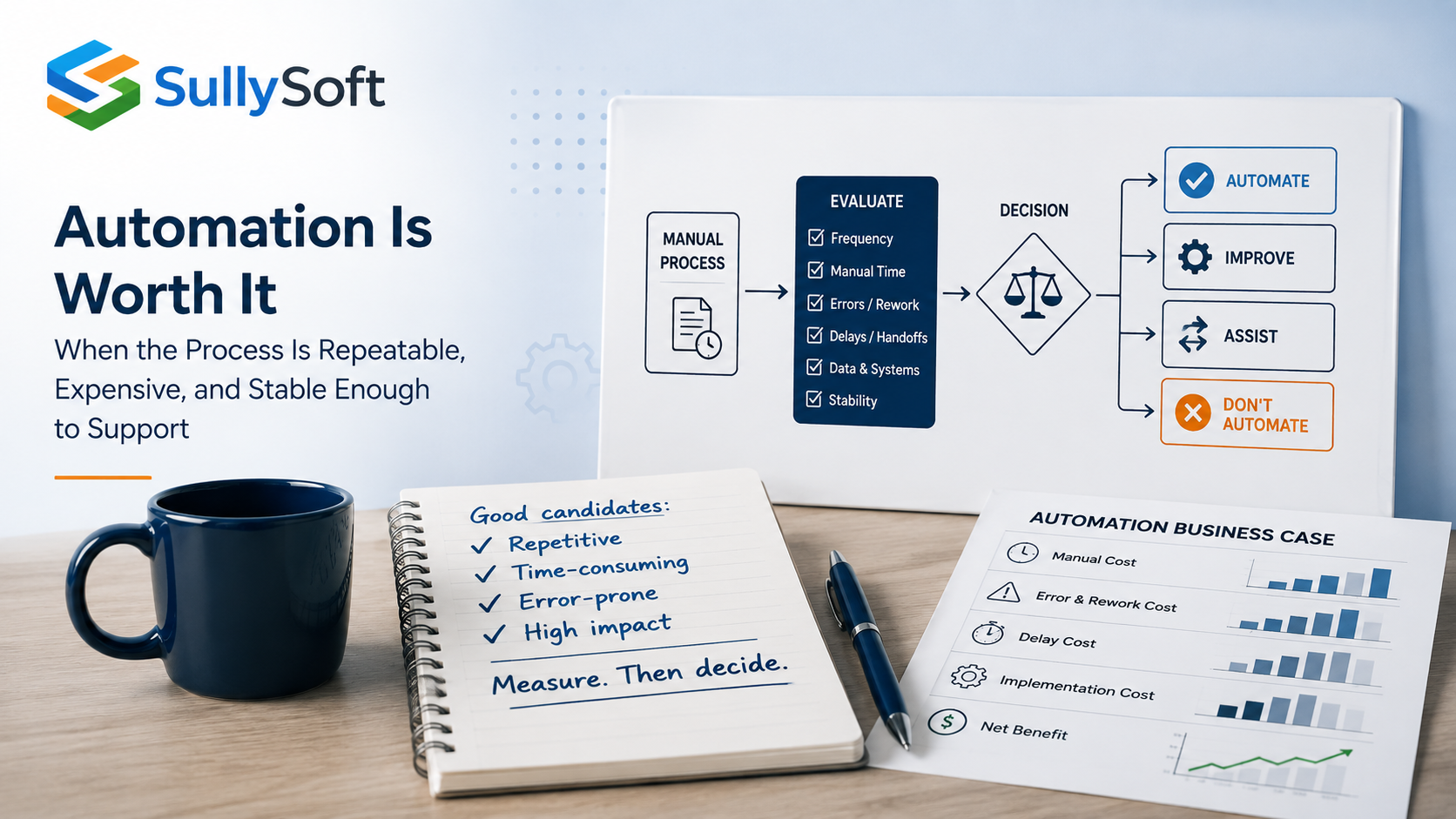
Automation is usually worth the investment when the work happens often enough, follows a recognizable pattern, consumes meaningful staff time, and creates measurable cost through delay, rework, or error. It is usually not worth it when the process changes constantly, depends on undocumented judgment at every step, or lacks reliable data and ownership. The fastest way to make a good decision is to measure the current manual process before talking about tooling.
Who this article applies to
This article is for founders, operations leaders, small internal teams, and business units that suspect they are spending too much time on repetitive work but are not sure whether automation will pay off. It is especially relevant when teams feel busy, handoffs are slow, and reporting or data entry work keeps recurring across departments.
Start with repetition and transaction volume
Some tasks feel annoying but happen too rarely to justify automation. Others happen hundreds of times per week and drain attention that should be going elsewhere. Review how often the process occurs, how many records or transactions it touches, and whether the volume is steady or seasonal.
High-frequency, rules-based work is usually the strongest automation candidate because the savings accumulate quickly and exceptions are easier to understand.
Measure manual time honestly
Automation decisions often fail because the current manual effort was never measured properly. Estimate the total time spent across the whole process, not just one visible step. Include prep work, corrections, waiting, follow-ups, and the time people spend checking whether the task finished correctly.
When working with a SaaS provider who wanted to automate their monthly customer billing cycle, stakeholders estimated that this was a straightforward task. They assumed the billing team simply ran a script in their accounting software to generate invoices based on CRM data—a job taking “a few hours a month.”
When we interviewed the billing team, we uncovered a massive shadow process. Their CRM and accounting software were constantly out of sync regarding mid-month tier upgrades and downgrades. The billing team was manually exporting data from both systems, using Excel VLOOKUPs to catch discrepancies, and hand-adjusting those invoices before sending them out.
The “few hours” a month actually turned out to be a full week’s worth of manual labor every month, making the automation project far more valuable than initially estimated.
Because the underlying systems were out of sync, the scope expanded to include API integrations between the tools. It also prompted a smart policy change: while customers could still request a downgrade anytime, the change would only take effect at the start of the next billing cycle. This simple business rule change eliminated mid-month downgrade edge cases entirely, leaving only tier upgrades to manage.
When leaders see only the visible keystrokes, they tend to underestimate the real cost of the process.
Error rates and rework can justify automation faster than volume alone
Some processes are worth automating because mistakes are expensive, not because the task is huge. Re-entering data across systems, routing approvals by email, or compiling reports manually can create avoidable errors that consume more time than the original task.
If the process causes recurring corrections, customer confusion, finance cleanup, or missed deadlines, that cost should be part of the automation business case.
Delays and handoffs are often the real bottleneck
A process can be individually simple and still create major drag because it crosses teams, inboxes, spreadsheets, and approvals. Review where work waits, where context is lost, and where no one has clear ownership during the handoff.
Automation is often valuable when it shortens those delays, triggers the next action reliably, or makes status visible without manual chasing.
Standardization matters more than enthusiasm
If every employee performs the process differently, automation may simply lock in inconsistency. Before automating, confirm that the desired flow, required data, decision rules, and exception paths are understood well enough to document.
This does not mean the process must be perfect. It does mean the team should be able to explain what “normal” looks like.
Exception frequency changes the design
A process with occasional exceptions can still be a good automation candidate. A process where every other case becomes an exception may be better suited to assisted automation, improved forms, or partial workflow support.
That distinction matters because fragile automation often fails when the business tries to force a highly variable process into a rigid sequence.
Data availability and integration complexity affect feasibility
Automation depends on getting the right data at the right time. If data is incomplete, spread across incompatible systems, or accessible only through manual exports, the investment may be larger than stakeholders expect.
This does not automatically kill the project. It means the feasibility review should look at data readiness and integration complexity before promising an outcome.
Human approval points still have value
Not every approval should be removed. In some cases, the right answer is to automate collection, routing, reminders, and recordkeeping while keeping a human approval point where judgment or accountability still matters.
That is often a better design than pretending the whole process should become fully autonomous.
Calculate payback with both savings and maintenance in view
A simple payback model should estimate current manual cost, expected error reduction, delay reduction, and the cost of building and maintaining the automation. Include monitoring, ownership, exception handling, and future changes.
Good candidates usually show at least one of these:
- Fast payback because the manual volume is high.
- Risk reduction because mistakes are costly.
- Better throughput because the process is a bottleneck.
- Better visibility because the current workflow is opaque.
Watch for fragile automation
Automation is not automatically valuable just because it works in a demo. Warning signs include brittle screen-scraping, undocumented dependencies, unclear ownership after launch, and workflows that collapse whenever a source system changes.
If the business cannot support the automation once it is live, the initial build cost is only part of the story.
Sometimes process redesign should come before automation
If the workflow exists mainly because of old habits, duplicate approvals, unclear inputs, or policy confusion, redesign may be more valuable than automating the current version. Automating a bad process can make it faster to produce the wrong outcome.
This reminds me of a project to automate an existing employee onboarding process that involved 15 separate forms, spanning HR, payroll, compliance, and a few other areas. The initial estimate was steep because it required integrating a new RPA (Robotic Process Automation) tool across several legacy systems.
We recommended a process mapping exercise first. That exercise revealed that more than half of the forms collected duplicate information. By redesigning the onboarding packet into a single, unified digital intake form, we eliminated the need for complex multi-system routing entirely.
As a result, the scope of the automation project shrank by more than half. Instead of a costly RPA deployment, the new digital form was integrated directly into their primary HR system—saving massive development costs and drastically reducing the time-to-value.
Start with assisted automation when full automation is premature
For many teams, the right first step is assisted automation: templates, guided forms, auto-generated drafts, notifications, routing, or data synchronization that removes obvious manual effort without trying to eliminate all human involvement immediately.
This approach often improves adoption because it helps the team work better before asking them to trust a more autonomous workflow.
Recommended next step
Before selecting a platform, document the process volume, time cost, exception rate, and maintenance considerations. The goal is to decide whether automation is justified, what level of automation fits, and whether process cleanup should happen first.
Relevant SullySoft CTA
If you want to estimate the real cost of repetitive work before investing in automation, start with the Manual Work Cost Calculator and use it to frame the next discussion.
Sources and references
About the author

Mike Sullivan
Mike Sullivan leads SullySoft engagements across cybersecurity, cloud architecture, automation, and secure software delivery.
Relevant next step
Move from article advice to a scoped recommendation
Use this article as a starting point, then map the recommendations to your environment, constraints, and priorities.